Guide
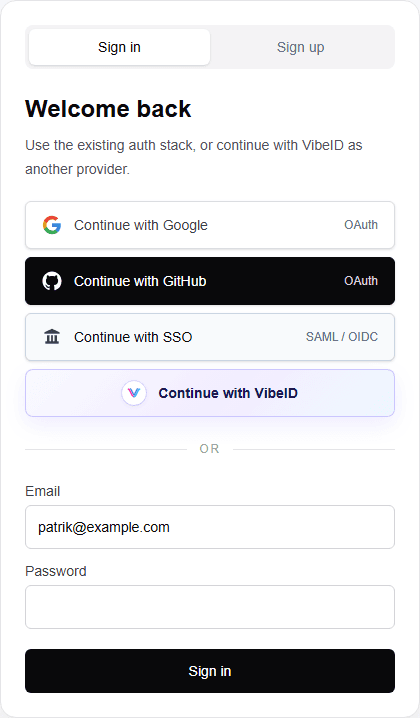
Add VibeID to an existing login page.
Place VibeID next to Google, GitHub, SSO, email, or any login method you already support.
Use the styled button and prompt
The styled components give you the VibeID button, QR/app approval prompt, app-open behavior, polling, and session refresh. Your existing login page keeps its layout.
"use client";

import "@vibe-id/react/styled.css";
import { VibeIdButton, VibeIdPrompt } from "@vibe-id/react/styled";
import { useVibeIdSignIn } from "@vibe-id/react";

export function LoginPageVibeIdOption() {
  const vibe = useVibeIdSignIn();

  return (
    <>
      <VibeIdButton vibe={vibe} label="Continue with VibeID" />
      {vibe.request ? (
        <div className="modal">
          <VibeIdPrompt vibe={vibe} onClose={vibe.cancel} />
        </div>
      ) : null}
    </>
  );
}
Approval prompt behavior
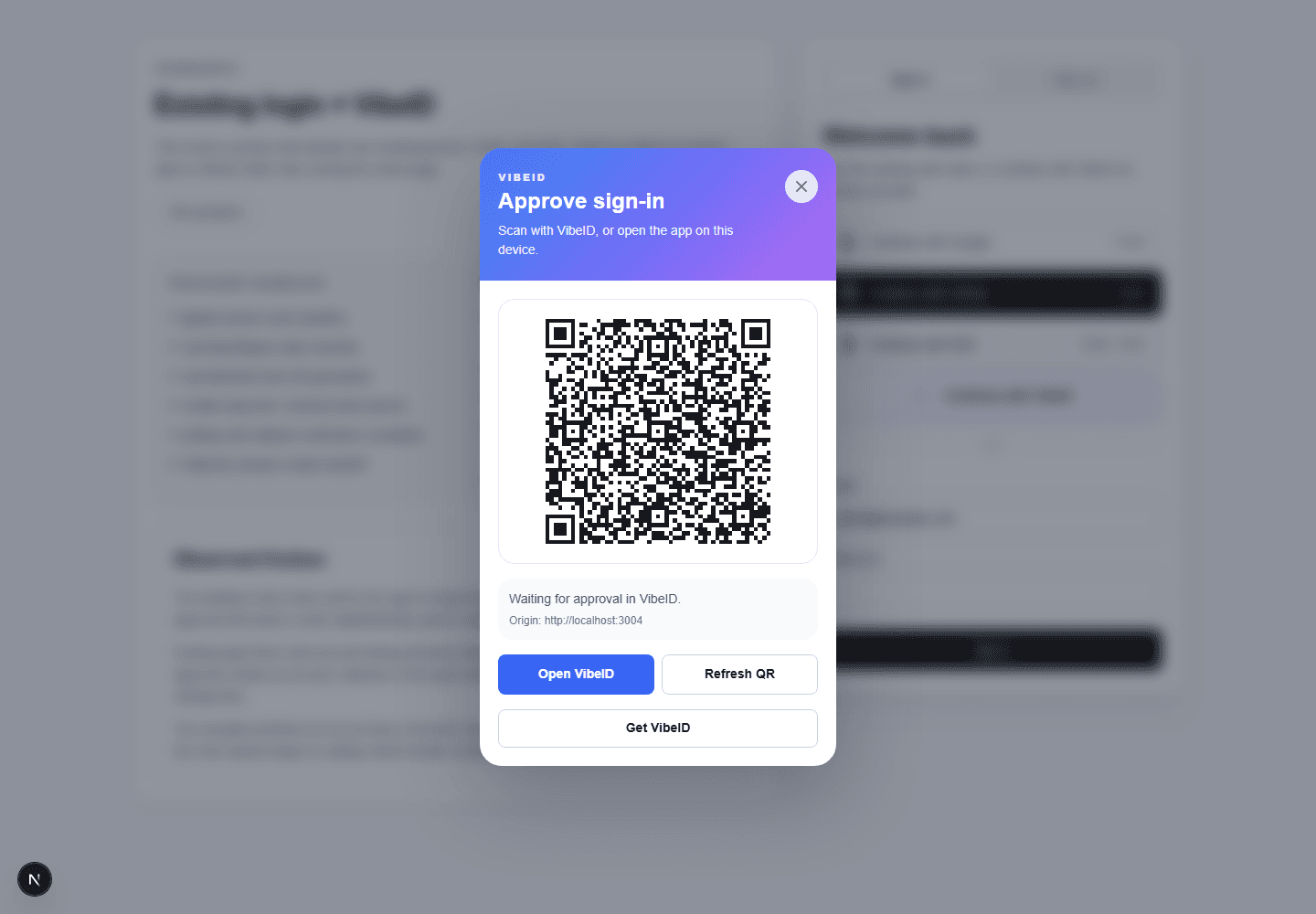
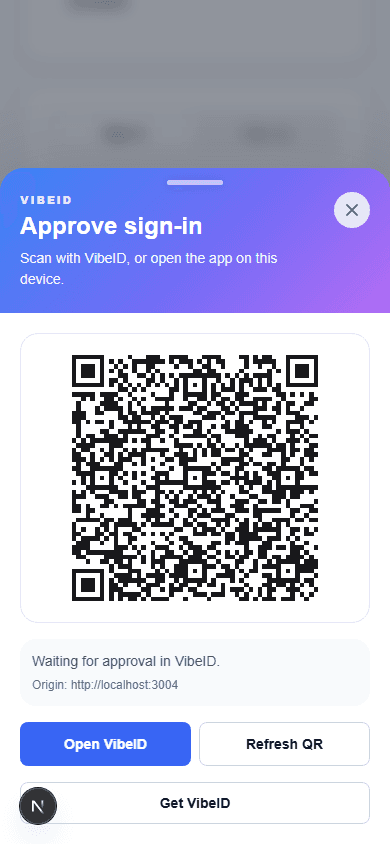
The same prompt works for scan-from-another-device and app-open-on-this-device flows. Desktop centers the prompt over the existing login page; mobile behaves like a bottom sheet.
Backend requirement
For production sign-in, pair the frontend with the Next.js catch-all route or an equivalent backend. The browser UI should not verify identities by itself.
If your app already owns users, cookies, and sessions, run VibeID in external session mode. VibeID verifies the signed DID and profile, then your callback links it to your account model and sets your app cookie.
import { createVibeIdAuth } from "@vibe-id/next";

export const vibeAuth = createVibeIdAuth({
  sessionMode: "external",
  async onVerifiedSignIn({ verified }) {
    const user = await findOrCreateUserFromVibeId({
      did: verified.did,
      profile: verified.profile,
    });

    return {
      publicSession: { userId: user.id },
      browserHandoff: { userId: user.id },
    };
  },
  async onBrowserHandoff({ response, external }) {
    await setAppSessionCookie(response, external?.browserHandoff);
  },
});